Photo to Rap Video Generator with Your Image and Lyrics

Create a character performance with the Photo to Rap Video Generator. Upload a portrait, pet, or illustrated character, then customize the lyrics and scene on AI VideoWeb.

Preview Performance Templates in the Photo to Rap Video Generator

Preview the rap clips and pick a template you like. Apply it, swap in your own image, and edit the lyrics or scene as needed.

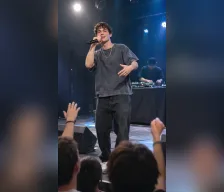
Stage Star
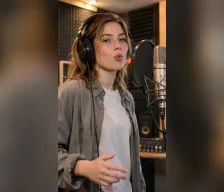
Studio Flow
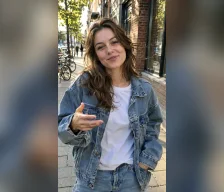
Street Verse
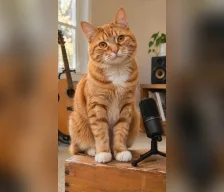
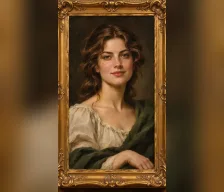
Cat Bars
Painted Flow
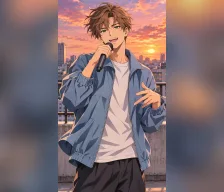
Anime Verse
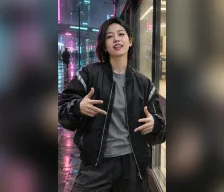
Neon Street Bars

Direct the Character, Lyrics, and Scene with the Photo to Rap Video Generator

Use a reference image for the performer, lyrics for the verse, and a description for the setting and movement. Templates provide an editable starting point.

Your photo as the reference

Start with a clear image of the subject you want to animate.

Editable lyrics

Write your own lines or customize the words from a template.

Scene direction

Describe the setting, mood, movement, and camera style.

Ready-to-use templates

Preview seven ideas and apply their text and settings in one click.

Start from Editable Templates in the Photo to Rap Video Generator

Preview a performance idea, apply its text and settings, then personalize the image, lyrics, and scene before generating your own clip.

Preview before choosing

Watch a template clip to find a direction you like.

Keep creative control

Change the lyrics, description, and supported model parameters.

Portrait video defaults

Begin with Wan 3.0, 9:16, and a 10-second duration.

Reuse your own images

Try a different reference photo with the same scene and lyrics.

Create Stage, Studio, and Street Scenes with the Photo to Rap Video Generator

Build a setting around your performer: a concert stage, a recording booth, a street scene, or a playful fictional world. Describe the scene in the form.

Stage performances

Place your character in a concert-inspired scene.

Studio sessions

Create a focused recording-booth performance.

Street verses

Set your clip in a city or neighborhood scene.

Playful characters

Explore pet, painted, and anime-inspired rap concepts.

How to Use the Photo to Rap Video Generator on AI VideoWeb

Create your own rap clip in three steps.

Upload a clear portrait, pet photo, or character image
Choose a template, then customize the lyrics and scene
Review the video settings, generate, and preview your clip

Using the Photo to Rap Video Generator: Images, Lyrics, and Templates

Explore More AI Video Tools

Explore Character Video Guides for the Photo to Rap Video Generator