MiniMax H3 Image AI Image Generator for Text and Reference Images
MiniMax H3 Image combines text-to-image generation and image editing in an open-weight model from MiniMax. Native high-resolution imagery, lifelike textures, and detailed prompt following help turn campaign briefs, illustrations, and visual references into finished-looking stills.
MiniMax H3 Image Examples
Explore reference blending, detailed graphics, character design, and surreal artwork.
Combine Up to 16 References
Blend people, animals, and objects into new scenes using up to 16 reference images.
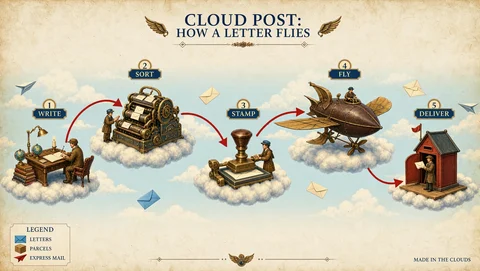
Follow Detailed Instructions
Create structured diagrams and information boards with clear layouts and labels.
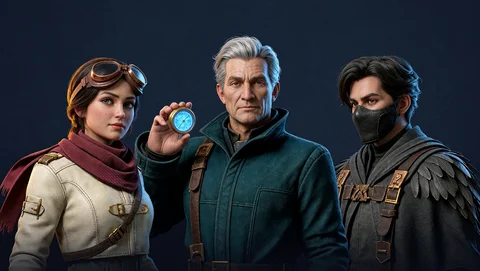
Design Detailed Characters
Build distinctive characters with expressive faces, intricate clothing, and rich textures.
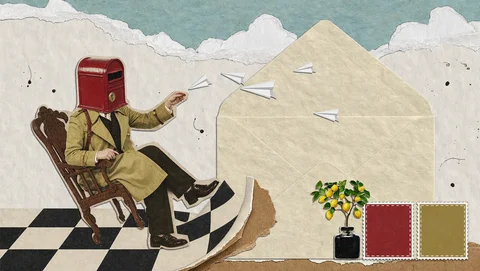
Explore Surreal Ideas
Reimagine everyday objects through playful compositions, unexpected scale, and mixed textures.
MiniMax H3 Image Capabilities for Generating and Editing Stills
Use written direction to create a scene, visual references to establish its subjects, and edit instructions to revise the selected image.
Text-driven image creation and editing
Start from a campaign description or an existing still. The same model can create the first composition and change its backdrop, weather, or framing.
Multi-reference composition
Work with up to 16 reference images. Give each one a purpose, such as garment details, location, color palette, or subject appearance.
Precise creative instructions
Describe spatial relationships and lighting alongside the subject. A cyclist can stand to the right of a storefront with a yellow reflection beneath the wheels.
Native high-resolution stills
H3 Image generates around 16 megapixels directly across supported shapes. The square example is 4096 × 4096, with wide compositions using different dimensions.
Why Use MiniMax H3 Image for Campaign Artwork?
The model’s combination of realism, instruction following, and reference control supports related visuals across an ad concept.
Rich photographic surfaces
Realistic detail helps communicate the difference between wet fabric, glass, and painted walls in a generated scene.
Clearer direction from mixed inputs
A reference can show the raincoat while the prompt specifies the pose. That gives the model visual and written evidence for the same brief.
Revision from an established image
Once the composition works, edit that still to explore another mood or placement using the selected artwork as the starting point.
Speed alongside high resolution
MiniMax reports generating a 4K image in under 10 seconds. This is the publisher’s reported performance; generation time on AI VideoWeb varies with the request and service load.
MiniMax H3 Image Uses for Ads and Social Content
Use MiniMax H3 Image to generate photographic scenes, illustrations, character concepts, and reference-guided edits. The examples below show ways to apply these capabilities.
Campaign key visuals
Generate a central image that brings the product, setting, and campaign colors together.
Social post artwork
Describe a bold subject and a simple background that will read at a small size.
Characters and illustration
Generate a character or illustrated scene from a written brief, then use a selected image as a reference for a new pose or setting on AI VideoWeb.
Environment and scene concepts
Combine location references with written direction to explore a room, street, or imagined landscape. Describe the viewpoint and the relationships between objects.
How to Generate Images with MiniMax H3 Image on AI VideoWeb
On AI VideoWeb, the default output setting is 1K, with 2K and 4K also available. Choose an aspect ratio for your composition, enter a prompt or provide reference images, and generate the image.